


NYTimes: US and Global News
4.722.96K Reviews
App Specs
- Version
- 11.94.0
- Updated On
- License
- Free
- Downloads
- 10,000,000+
- Developer
- The New York Times Company
- Categories
- News & Magazines
- Platform
- Android, iOS
Screenshots

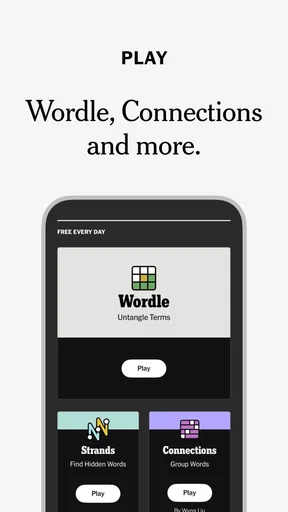
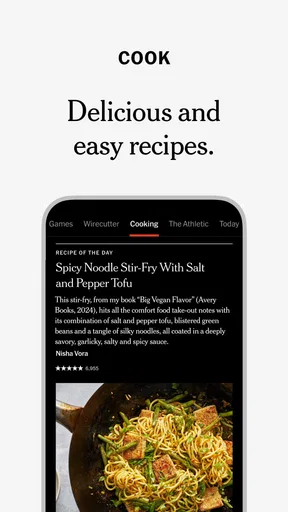

 Analysis by AppCompare
I tend to trust a news app more when I can understand what I’m choosing: which stories reach me, how I can manage my attention, and when access may depend on a subscription. That’s the lens I use with NYTimes: US and Global News. It comes from The New York Times Company and sits in the news and magazines space, but its usefulness is less about having another headline feed and more about whether its mix of reporting, reading tools, and alerts fits the way you follow events.
Reading with context, not just headlines
The app is free to install, and its 4.8 average from around 195,000 ratings suggests that many readers find it worthwhile. That broad approval is useful context, not a promise that every feature or article will suit you. I’d judge it by a more practical question: does it help you understand a story without turning every spare moment into a stream of notifications and headlines?
A familiar layout for a busy news day
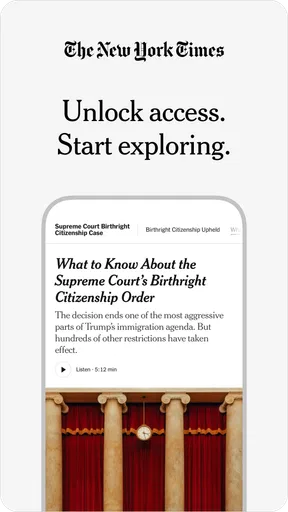
Right off the bat, the app strikes you with its clean and user-friendly interface. The minimalist design ensures that you're not overwhelmed by too many distractions. Everything is neatly organized, making it super simple to navigate through the vast sea of news articles. You know how sometimes you open an app and it feels like you're lost in a maze? Not here.
That straightforward feel matters when I open a news app for a specific reason rather than to browse indefinitely. If I have a minute between errands, I can scan what is happening; if I have more time, I can settle into a longer read. The app is from a large newsroom with a recognizable editorial identity, so it is best approached as one substantial source of reporting, not as a neutral window onto every perspective. For a complicated issue, I still think it is sensible to compare coverage with other credible outlets.
Personal recommendations need a little steering
Diving into the features, there are a few that really caught my eye. For starters, the app offers personalized recommendations based on your reading habits. So, if you're constantly reading about tech or politics, expect those topics to pop up more frequently on your feed. It's like the app knows you better than you know yourself sometimes!
That convenience has a trade-off: a feed shaped by past reading can make familiar subjects easier to find while leaving less room for topics you have not explored. I would treat recommendations as a shortcut, not a complete picture of the news. A useful habit is to deliberately open sections or topics outside your usual routine now and then, rather than letting a run of interest in one subject define the whole reading session.
This is also where the app’s editorial selection differs from a general-purpose news aggregator. An aggregator may collect headlines from many publishers and make comparison quick; this app gives you a more focused experience built around one publisher’s journalism. I prefer that when I want sustained coverage and a consistent reading experience. If my main goal is to see how several outlets frame the same breaking event, I would use a multi-source reader alongside it.
Worth Reading Before You Choose

Flipboard Shows What News Apps Must Do Beyond the Feed

Switching to Android Auto Means Rethinking Your Driving Routine

Google Calendar Makes a Crowded Week Easier to Manage

Ludo King Makes the Most of the Minutes Between Plans

Baby Panda World Brings Quick Play to Modern Phones, but Its Game Library Feels Busy

ESPN’s Live Game View Makes Following Close Games Easier
Offline reading works best as a small routine
Another cool feature is the offline reading mode. Ever find yourself on a long flight or in a place with spotty internet? Just download the articles you want to read ahead of time, and you're all set. It's perfect for those moments when you're itching to catch up on the latest but can't connect to the web.
The practical tip is to choose pieces before you lose connectivity, rather than assuming that everything you might want will be ready later. For a commute, I’d pick a few articles while connected and save them as a compact reading queue. That turns offline access into a deliberate plan instead of a last-minute test of what has loaded. It is particularly useful for reporting you want to read carefully, not just for passing time with headlines.
Offline access also changes how I think about a news app during travel. A connection can be unreliable, and breaking updates may change while you are away from the network; saved reading is better for background and analysis than for tracking a fast-moving situation. I would use live access when timeliness matters and treat downloaded articles as material to catch up on at my own pace.
Alerts are helpful only when they stay selective
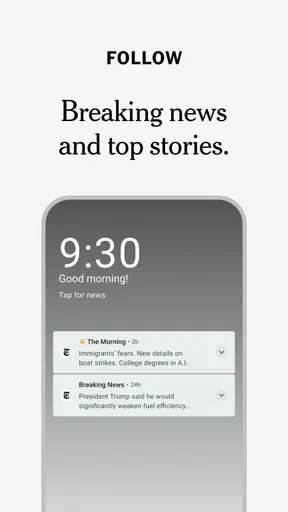
One thing I appreciate is the level of customization available. You can tailor notifications to alert you only on topics you care about. So, if breaking news is your jam, set those alerts, and you'll never miss a beat. It's like having your own personal news assistant at your fingertips.
In practice, I would start with fewer alerts than I think I need. A phone notification interrupts whatever I am doing, so alerts are most valuable for subjects where timing matters to me, not for every topic I might read about eventually. If a notification stops being useful, changing the selection is better than letting repeated interruptions make me ignore all news alerts. This is a small but meaningful form of user control: decide what deserves to reach the lock screen, and keep the rest for when you open the app.
For someone who wants a quiet morning briefing, a less aggressive alert setup can make the app feel like a reading destination rather than a constant alarm. For someone who follows a major developing story closely, selected breaking alerts may be worth the interruption. The right balance depends on whether immediacy or uninterrupted focus matters more in a particular week.
Display comfort and cross-device reading
Plus, if you're a night owl like me, the dark mode is a blessing. It not only saves battery but is also much easier on the eyes during those late-night reading sessions.
I find dark mode most useful as a comfort choice in a dim room, not as a reason to keep reading longer than I intended. If I am checking one article before bed, a calmer screen helps; if I am trying to wind down, the better choice may be to close the app. Small display preferences can make reading more pleasant, but they do not replace sensible limits on screen time.
The app syncs effortlessly across devices, which is a huge plus. Start reading an article on your phone, and seamlessly continue it on your tablet or computer without missing a word. It's those little things that really enhance the user experience.
That handoff is most useful when the device matches the task: I can start a story while waiting somewhere, then continue on a larger screen when I have the time to focus. It also makes the app easier to fit around a day that moves between phone and computer. If you usually read on just one device, syncing may matter less, but it is a welcome convenience for people who switch screens during the day.
Subscriptions, expectations, and a realistic routine
Now, while the app is fantastic, it's worth mentioning that some features require a subscription. But honestly, with the quality of content and convenience provided, it's a small price to pay for staying informed with trusted news.
I would be more cautious about treating that as a small cost for everyone. The app itself is free, while in-app purchases range from $0.99 to $299.99 per item, so the amount you spend depends on what you choose. Before committing, I would check the purchase option and its terms in the app and decide whether I read enough of its journalism to justify ongoing access. A casual reader who mainly wants a few headlines may be better served by free sources, while someone who regularly reads full articles may find a subscription more relevant.
A realistic weekday use might look like this: I check selected alerts over breakfast, open the app during a commute, and save a couple of longer pieces for a time when I can concentrate. If connectivity drops, I read what I prepared earlier; later, I continue on another device. That is a more useful pattern than constantly refreshing for new headlines, and it gives the app a clear role without requiring it to be the only source I consult.
For trust, I would separate the quality of a publication’s journalism from questions about how an app handles personal information. I don’t assume privacy protections or permission behavior from the app’s reputation. Before enabling notifications or making a purchase, I would review the choices shown on my device and the account and privacy controls available in the app. If a prompt asks for access I do not understand or need, I would pause and decide whether that choice is necessary for the way I want to use it.
Who will get the most from it
The app makes the most sense for readers who want substantial reporting from The New York Times Company, value a polished reading experience, and are willing to make a deliberate choice about paid access. It is also a good fit for people who move between devices or want to prepare articles for reading without a reliable connection. Its 10 million-plus installs show that it has reached a wide audience, but scale alone should not decide whether it belongs on your phone.
I would skip it if I mainly want a free, broad roundup that compares many publishers in one place, or if I do not want to consider subscription access for articles I may want to read. A general news aggregator can be more convenient for side-by-side source comparison; a broadcaster’s app may be preferable if live video or audio is my priority. Those alternatives serve different habits, while this app is strongest when I want to read its reporting directly.
It is rated for Everyone 10+, and the current version is 11.56.0, with a minimum operating system requirement of 10. Those details help with basic compatibility decisions, but they do not tell me whether the reading style will suit a particular person. I would still consider how often I read long-form news, whether alerts help or distract me, and whether I am comfortable with the available purchase choices.
A measured recommendation
In conclusion, the app offers a comprehensive and intuitive way to stay updated on the world's happenings. Whether you're a news junkie or just someone who likes to stay informed, this app has something for everyone. Give it a try, and you might just find yourself hooked!
My more cautious recommendation is to try it as a focused reading tool, then decide whether its reporting and reading habits justify keeping it in your routine. The app was released on May 10, 2010, and its long presence in the news category is part of its history, not a substitute for checking whether its current experience works for you. I would keep alerts selective, use saved articles for planned offline reading, and compare coverage when an issue calls for a wider range of perspectives.
Overall, I think it is a strong choice for readers who value the publication’s journalism and want a comfortable way to follow it across the day. It is less compelling for someone who expects every article to be free or wants a single feed that represents many publishers equally. That distinction is the key to making an informed choice: install it for the kind of reading it does well, keep control of the interruptions and spending, and use other sources when breadth matters more than depth.
Pros
- Comprehensive news coverage.
- User-friendly interface.
- Regular updates and alerts.
- High-quality journalism.
- Customizable news sections.
Cons
- Requires subscription for full access.
- Occasional app crashes.
- Ads can be intrusive.
- Limited offline reading.
- Heavy data usage.
FAQs for NYTimes: US and Global News
What features does the NYTimes app offer for news consumption?
The NYTimes app provides a comprehensive news experience, offering breaking news alerts, curated daily briefings, and interactive multimedia. Users can access a wide range of sections, including World, Business, Technology, and more. With personalized recommendations and offline reading capabilities, it ensures you stay informed at your convenience.
Is a subscription required to access all content on the NYTimes app?
While the app is free to download, a subscription is necessary to unlock full access to all articles. Non-subscribers can read a limited number of free articles monthly. Various subscription plans are available, providing unlimited access to news, analysis, and exclusive content from The New York Times.
How does the NYTimes app handle user privacy and data?
The NYTimes app prioritizes user privacy, employing industry-standard security measures to protect personal data. Users have control over their data sharing and can adjust privacy settings within the app. The app's privacy policy details how data is collected, used, and shared, ensuring transparency and user trust.
Can I customize notifications and alerts in the NYTimes app?
Yes, the NYTimes app allows you to tailor notifications to your preferences. Users can choose to receive alerts for breaking news, specific topics, or sections of interest. This customization helps you stay updated on news that matters to you without being overwhelmed by unnecessary notifications.
Is the NYTimes app available on both Android and iOS platforms?
The NYTimes app is available for both Android and iOS devices. It offers a seamless experience across platforms, allowing users to sync settings and preferences. Whether on a smartphone or tablet, the app ensures access to The New York Times' extensive news coverage wherever you are.


